YOLOv5 vs YOLOv8 vs YOLO11: Which Should You Use?
Three Ultralytics model generations are in wide use: YOLOv5, YOLOv8 and YOLO11. People ask which one to pick. The honest answer is that for a new project the newest supported generation is usually a sensible default, and the differences matter less than your data. This article explains what actually differs, so you can decide without chasing leaderboard numbers.
I am deliberately not quoting benchmark scores or speeds here. They depend on the dataset, the input size, the hardware and the export format, and they change between releases. Check the Ultralytics documentation for current figures, then measure on your own data.
The short version
| Question | YOLOv5 | YOLOv8 | YOLO11 |
|---|---|---|---|
| Detection style | Anchor-based | Anchor-free | Anchor-free |
| Main package | Original YOLOv5 repo, also usable via ultralytics |
ultralytics |
ultralytics |
| Tasks | Detection, classification, segmentation | Detection, segmentation, classification, pose, oriented boxes | Same family of tasks as YOLOv8 |
| Licence | AGPL-3.0 | AGPL-3.0 | AGPL-3.0 |
| Best for | Existing projects already built on it | Stable, widely documented default | New projects wanting the latest Ultralytics line |
Treat the table as orientation, not a spec sheet. Verify the details in the current documentation.
What changed between generations
YOLOv5
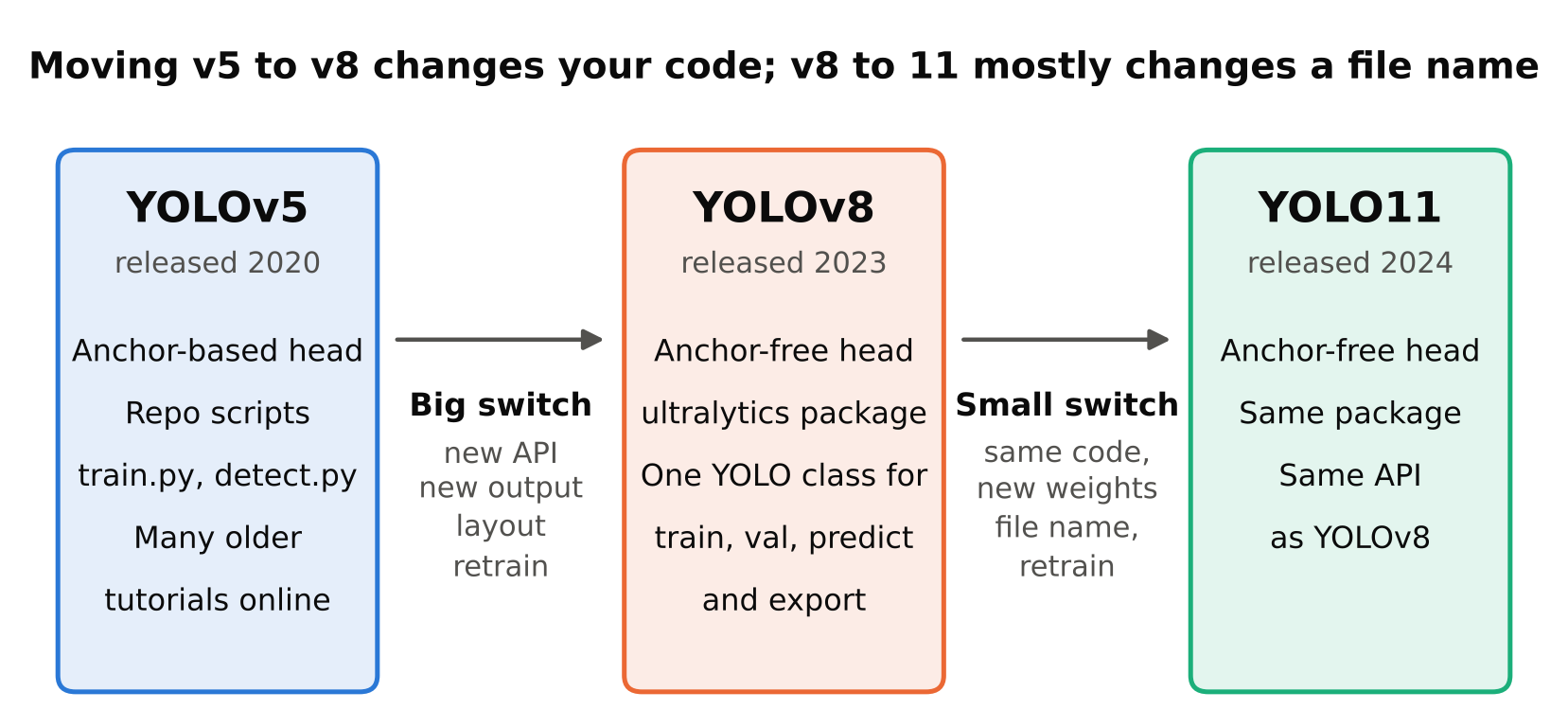
YOLOv5 made YOLO easy to use. A clear training script, sensible defaults, and automatic handling of many details led to wide adoption. It uses anchors: predefined box shapes that the model adjusts. It can compute suitable anchors for your dataset automatically. Many tutorials, forum answers and older tutorials online refer to it, which is useful when you are debugging.
Its workflow is script based. You run train.py and detect.py from the repository with command line flags. That works, but it is less convenient to embed in a larger Python program than a package API.
YOLOv8
YOLOv8 moved to the ultralytics Python package, which gives one consistent interface for several tasks. The same YOLO class handles training, validation, prediction and export. It also moved to an anchor-free design with a decoupled head, which means box regression and classification are predicted by separate branches. Anchor-free detection removes the anchor settings you would otherwise tune. The article on anchor-free vs anchor-based detectors explains the idea.
For most people, the practical gain was the workflow. Training, validating and exporting is a handful of lines:
from ultralytics import YOLO

model = YOLO("yolov8n.pt")
model.train(data="data.yaml", epochs=50, imgsz=640)
metrics = model.val()
model.export(format="onnx")
YOLO11
YOLO11 continues the same package and API. Ultralytics describes it as an update with architecture refinements aimed at a better accuracy and efficiency balance. From a user's point of view, you change the weights name, for example from yolov8n.pt to yolo11n.pt, and the rest of your code stays almost the same. Note that the name has no "v".
Because the interface is shared, trying YOLO11 on a project that already uses YOLOv8 is cheap. That is the best argument for not agonising over the choice.
Workflow and ecosystem
If you are starting today, the ultralytics package is the easiest path. It gives you:
- One API for train, val, predict, track and export.
- Pretrained weights in the usual n, s, m, l, x sizes for each generation.
- Built-in export to formats such as ONNX, TensorRT and others, depending on your install and hardware.
- Active documentation and a large user community.
YOLOv5 users often keep the older repository because their pipeline already works. That is a valid reason. Rewriting a working production pipeline just to switch versions is rarely worth it unless you hit a real limit.
Accuracy and speed trade-offs
Newer generations aim for better accuracy at a similar cost, or similar accuracy at a lower cost. That is the general direction, and it often holds on public benchmarks. But three things can reverse it on your project:
- Your data is different. A small custom dataset of one class in a fixed camera view behaves very differently from COCO. Model differences can shrink or flip.
- Your hardware path matters. A model that is faster on a GPU may not be faster on a Raspberry Pi CPU after export. Some operations convert well to a given runtime and others do not.
- Model size matters more than version. Moving from a nano to a small model usually changes results more than moving from one generation to the next. See Nano, Small, Medium: How to Choose a YOLO Model Size.
The way to settle it is a fair comparison. Train each candidate on the same split with the same image size and number of epochs, validate on the same held-out set, and time the exported model on the target device. Report precision, recall and mAP together with measured latency. Do not compare a model you tuned for a day against one you ran with defaults.
Export and deployment support
All three can usually be exported to ONNX, and from there to runtimes such as ONNX Runtime or TensorRT. Support for specific formats and operators changes between releases, so check the current export documentation for your target. If you deploy on a device with a vendor toolchain, such as an accelerator with its own compiler, confirm that the model and operators are supported before you commit. Finding out late is expensive.
Post-processing is another gotcha. Anchor-based and anchor-free models have different output layouts. If you write your own decoding code after exporting to ONNX, code written for YOLOv5 output will not work on YOLOv8 output without changes. If you stay inside the ultralytics package for inference, this is handled for you. For details of the export route, see Export YOLO to ONNX and Run It with ONNX Runtime.
Licence
All three Ultralytics lines are released under AGPL-3.0, and Ultralytics offers a commercial licence. AGPL-3.0 has obligations that matter if you distribute software or offer it over a network. This is not legal advice: read the current licence terms and ask a qualified person if you are building a commercial product. The full discussion is in YOLO Licenses Explained.
If licence terms are a blocker, you can look at detectors released under more permissive licences. Check each one's licence, and also the licence of the pretrained weights and the training data.
How to decide
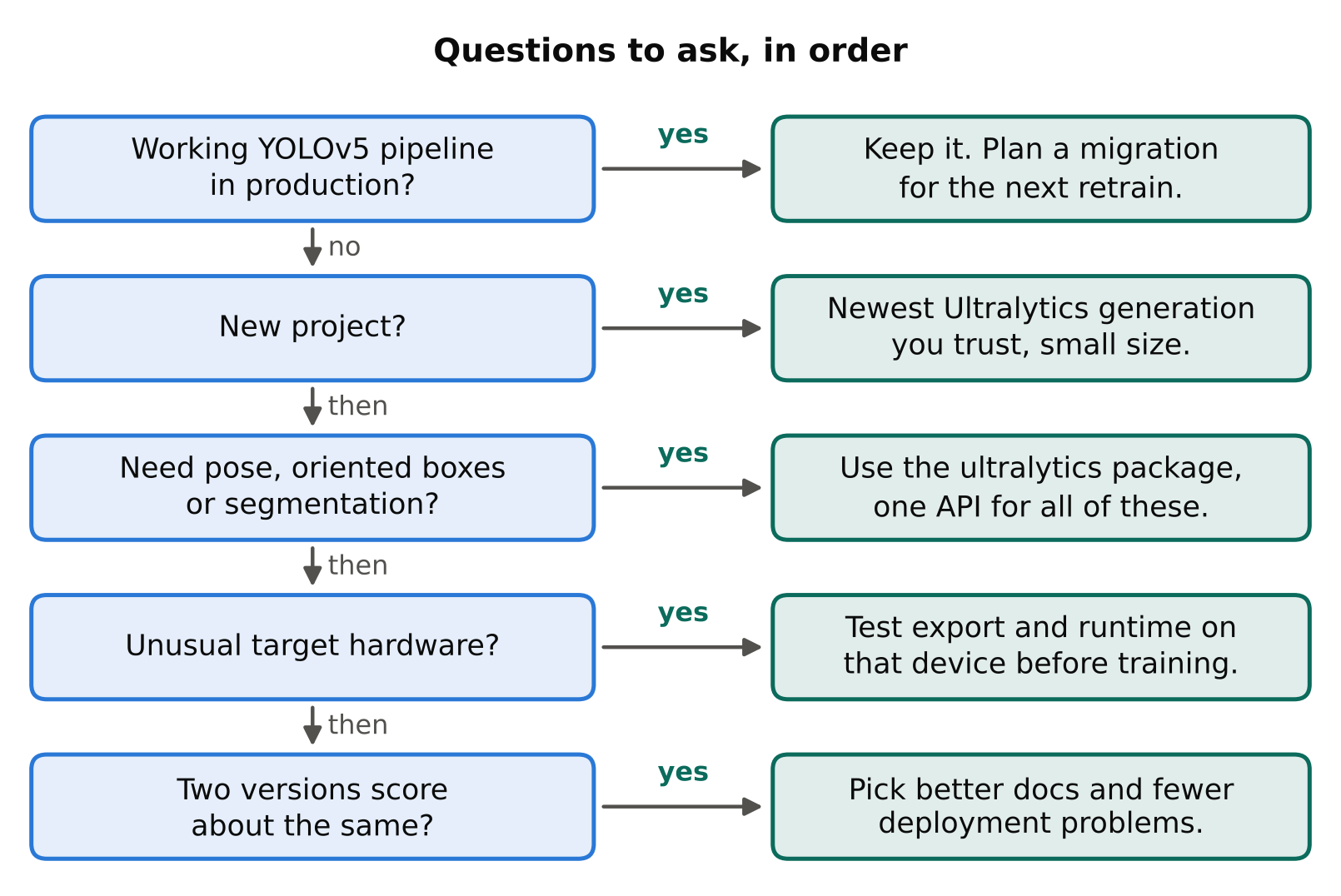
Use this simple order of questions:
- Do you have a working YOLOv5 pipeline in production? Keep it unless you have a concrete problem. Plan a migration for when you next retrain.
- Is this a new project? Start with the newest Ultralytics generation you are comfortable with, in a small size.
- Do you need pose, oriented boxes or segmentation? Use the
ultralyticspackage, which covers these tasks in one API. - Is your target hardware unusual? Test export and runtime on that device first, before training anything large.
- Is the result close between two versions? Pick the one with better documentation and fewer deployment problems. Reliability beats a small metric gain.
A fair comparison checklist
- Same dataset split, same image size, same epochs.
- Same augmentation settings, or note every difference.
- Multiple runs if the dataset is small, since results vary between runs.
- Measure on the exported model on the target device, not only the PyTorch model on a workstation.
- Include your hardest cases: night footage, occlusion, small objects.
Key points
- For new work, the newest supported Ultralytics generation is a reasonable default, and switching between YOLOv8 and YOLO11 is cheap because the API is shared.
- YOLOv5 is anchor-based and script driven. YOLOv8 and YOLO11 are anchor-free and package driven.
- Model size and your data usually matter more than the version number.
- Output formats differ, so custom post-processing code is not portable across generations.
- All three are AGPL-3.0 with a commercial option. Check the current licence.
- Decide by running a fair test on your own data and target device.
Next steps: Nano, Small, Medium: How to Choose a YOLO Model Size, YOLO Licenses Explained and Train YOLO on a Custom Dataset.